ENG
ENG
 УКР
УКР
 РУС
РУС
AI-UniBot: Why We Fully Updated the Interface
More capable, more attractive, more user-friendly.
AI-UniBot Personal Assistant & Corporate Chatbot has received a complete interface update. The key changes include expanded AI-driven functionality, improved personalization, and easier management.
Below is more information about what AI-UniBot Users have received after the recent implementation of updates.
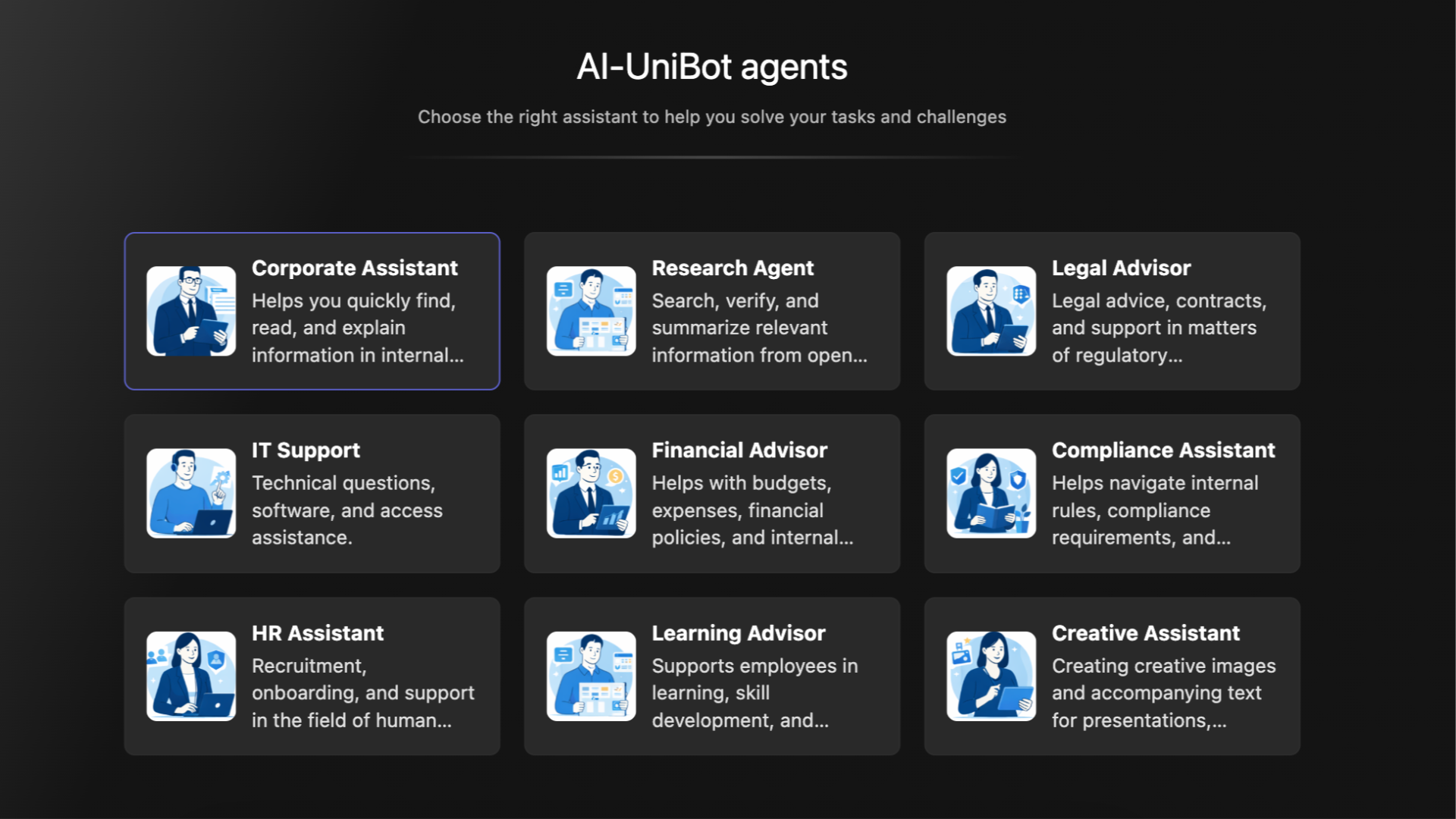
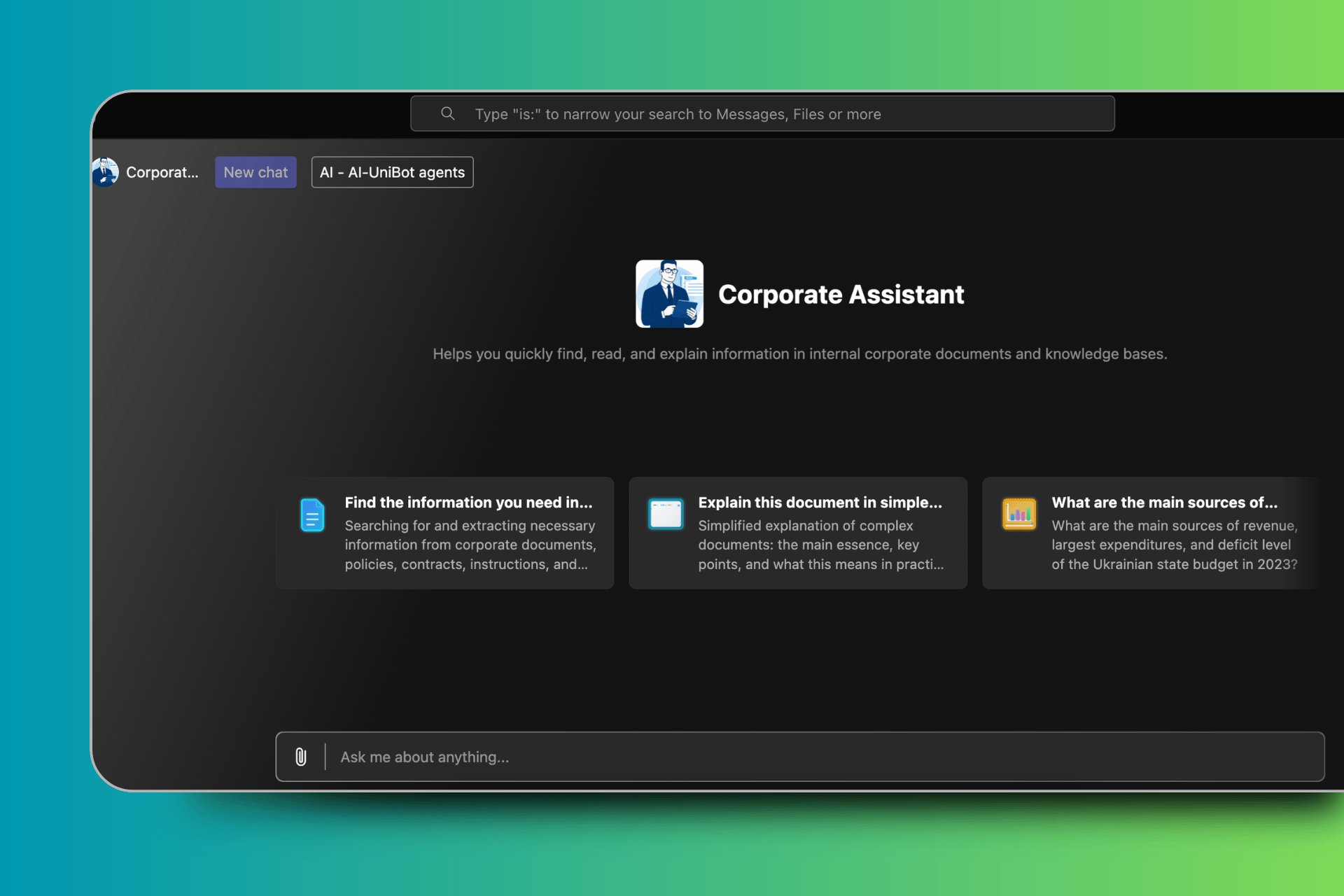
Integrated into Microsoft 365 Teams, AI-UniBot looks like a familiar workspace: the left panel is for accessing the app, the central area is for the active work scenario, and the upper part is for global search and context switching. This way, the User remains in a single, familiar environment without jumping between different tools.
The main interface features a personalized greeting for the User and a set of interactive cards (functional modules) that make it easier to get started. Among them, you can choose one of the ready-made scenarios and immediately get into the related work context. There is no longer any need for complex multi-level navigation. This way, we have eliminated one of the typical problems of corporate portals: overloading with structure and the difficulty of finding the desired section.
The New chat button initiates a new session. At the same time, the system logically separates dialogues. The switch between the active AI agent and the list of AI-UniBot agents provides a clear separation of working domains to avoid mixing contexts in requests.
Interaction with the chat is fully controlled by the User. After getting a request, AI-UniBot starts processing, which is shown by a progress indicator. This way, the User sees that the system is working and, if necessary, can stop generating a response. This is to eliminate uncertainty when processing complex requests.
We have also implemented support for attached files. So now you can work with documents directly, without uploading them to third-party services. If the answer is based on internal knowledge sources, it can, if necessary, contain links to specific documents. This way, we reduced the risks of misinterpretation of information and simplified the audit.
The AI-UniBot interface supports a light and dark theme. So, the display can be adapted to the Company's policies or the User's personal wishes. It is important that the chatbot interface automatically adjusts to the Microsoft Teams language. So, all elements are displayed in the language used by the Employee. This is especially convenient for multilingual Companies.
In fact, AI-UniBot removes several system barriers. First, the issue of fragmented access to knowledge: when policies, regulations, and instructions are stored in different repositories. Second, the issue of overloading functional units with typical requests that can actually be processed automatically. Third, the issue of losing context when working with different topics within one tool.
In short, AI-UniBot is the single corporate tool that provides several key tasks for business at once: i.e., quick access to the relevant knowledge sets (no matter how fragmented they are), operational processing of typical tasks without involving a Human, and flexible adaptation to the needs of the User (from language to visual display of the interface). And at the same time, using this AI system is as simple and intuitive as possible. So, there is no need to take time learning a new interface and functionality as the smart bot will adapt to the User on its own.